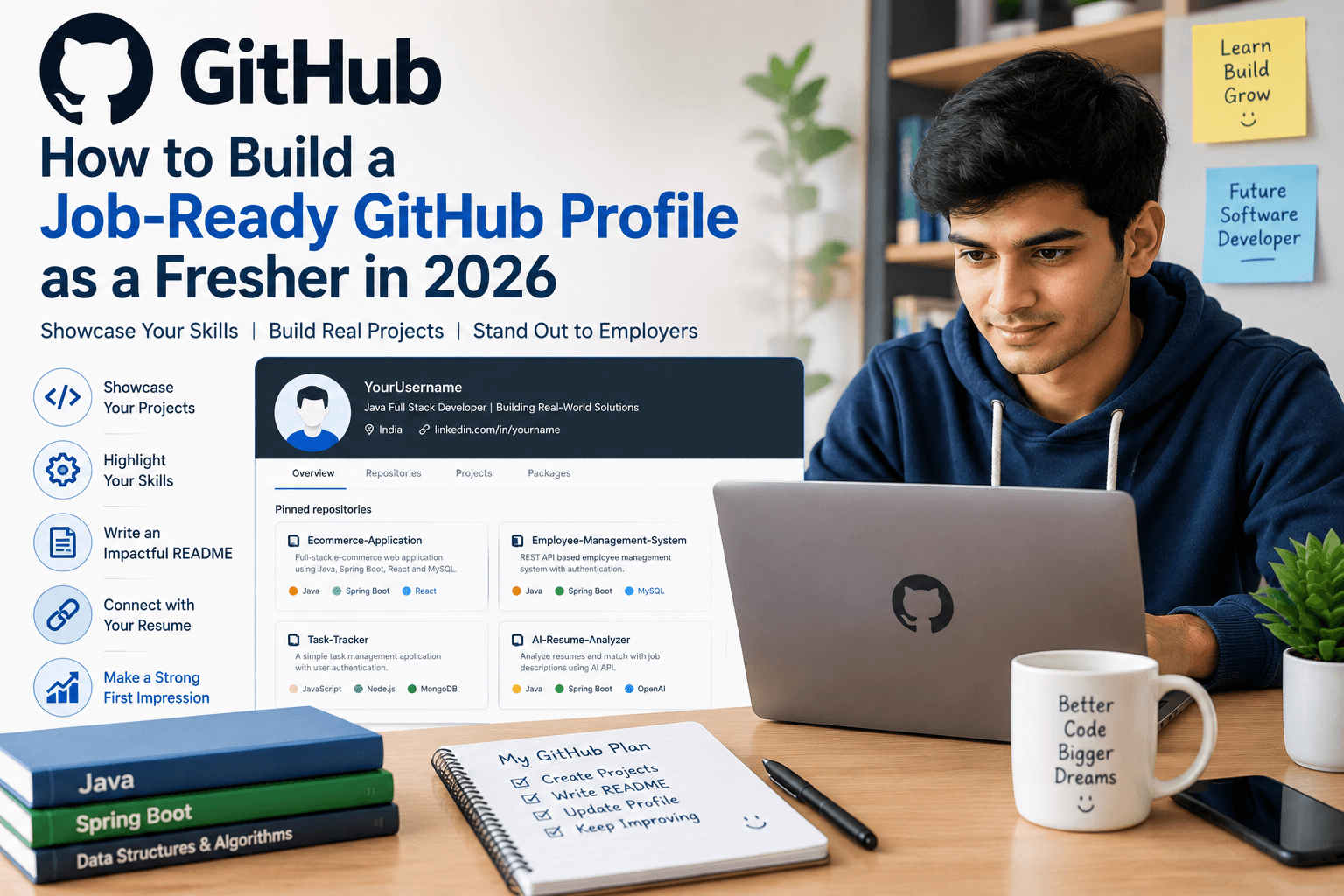
How to Build a Job-Ready GitHub Profile as a Fresher in 2026
You have learned Java.
You have completed a few projects.
You have practiced SQL and programming.
Your resume is ready.
But there is one part of your professional profile that many freshers ignore:
GitHub.
A GitHub profile is not just a place to upload code. For a software fresher, it can become a practical way to show what you can actually build.
GitHub describes a personal profile as a place that showcases your work, contributions and information you choose to share publicly. It also allows developers to highlight repositories and create a profile README.
This creates an important opportunity for freshers.
You may not have professional software-development experience yet, but you can still demonstrate:
What you have learned.
What you have built.
How you write code.
How you document projects.
How consistently you work on technical skills.
The question is not whether you have a GitHub account.
The question is:
Does your GitHub profile look like the profile of someone who is ready to start a software career?
What Is a Job-Ready GitHub Profile?
A job-ready GitHub profile is not necessarily one with hundreds of repositories or thousands of contributions.
It is a profile that quickly communicates:
Who you are
What type of developer you want to become
What technologies you know
What projects you have built
What problems your projects solve
How someone can run or understand your projects
Your GitHub should support your career direction.
If you are targeting Java development, your profile should make your Java skills easy to identify.
If you are targeting full-stack development, your repositories should demonstrate frontend, backend, database and API skills.
Your GitHub should tell a clear story.
Why GitHub Matters for Freshers
A resume mostly tells employers what you claim to know.
A project repository can provide evidence.
For example, your resume might say:
Java, Spring Boot, SQL, REST API
But your GitHub can show:
Java project → Spring Boot backend → REST API → SQL database → documented implementation
That creates a stronger connection between your resume and your actual work.
GitHub's own guidance recommends using a profile to demonstrate skills and experience to potential employers and suggests highlighting relevant projects that match your job search.
However, GitHub should not be treated as a magic shortcut to an interview.
A good profile supports your application.
It does not replace technical knowledge, a strong resume or interview preparation.
1. Start With a Professional GitHub Profile
Before adding projects, look at the profile itself.
Check:
Username
Profile name
Bio
Profile picture, if you choose to use one
Location, if relevant
Professional links
Pinned repositories
Profile README
Your username does not need to be complicated.
Keep your profile simple and professional.
Your bio should communicate your direction.
For example:
Java Full Stack Developer | Java | Spring Boot | SQL | REST APIs | Building practical web applications
This is much clearer than:
Coding enthusiast | Tech lover | Future developer
Your profile should help someone understand your professional direction quickly.
2. Create a Profile README
GitHub allows you to create a README that appears at the top of your profile. GitHub's documentation explains that a profile README can introduce you, describe your interests, highlight contributions and provide useful information about your work.
For a fresher, keep it simple.
A useful profile README can contain:
About Me
A short introduction.
Technical Skills
Your main programming languages, frameworks and tools.
Projects
Your best 2–4 projects.
Current Learning
What you are currently developing.
Career Goal
The type of software role you are preparing for.
Do not turn your README into a long autobiography.
A hiring manager should be able to scan it quickly.
3. Pin Your Best Projects
You do not need to make every repository visible at the top of your profile.
Show your strongest work first.
GitHub allows users to pin repositories or gists to their profile so visitors can quickly see selected work. A personal profile can display up to six pinned public repositories or gists.
For a fresher, your pinned projects could include:
Project 1: Full-Stack Application
Shows your complete development ability.
Project 2: Java/Spring Boot Application
Shows backend skills.
Project 3: SQL/Database Project
Shows database knowledge.
Project 4: Frontend Application
Shows UI and JavaScript skills.
You do not have to use all six slots.
Choose projects that support your target role.
4. Stop Uploading Tutorial Projects Without Improvements
This is one of the biggest GitHub mistakes made by beginners.
You watch a tutorial.
You type the same code.
You upload it.
Then you add it to your resume.
The problem is that the project does not demonstrate your ability to solve problems independently.
Tutorials are useful for learning.
But your GitHub should gradually contain projects that show your decisions and improvements.
Suppose you build a basic student management system while learning.
Do not stop there.
Improve it.
Add:
User authentication
Search
Pagination
Validation
Database relationships
Error handling
REST APIs
Better UI
Role-based access
Tests
Now the project demonstrates more than following instructions.
It demonstrates development.

5. Write a Proper README for Every Important Project
One of the easiest ways to improve your GitHub profile is also one of the most overlooked:
Write better READMEs.
GitHub recommends helpful project READMEs that explain important features, setup and running instructions, demos or examples, and testing information.
A strong README can include:
Project Overview
What does the application do?
Problem
What problem does it solve?
Features
What can users do?
Technology Stack
Which technologies did you use?
Project Structure
How is the application organized?
Installation
How can someone run it?
Screenshots
What does the application look like?
API Information
If relevant, what endpoints are available?
Future Improvements
What would you add next?
This makes your repository much easier to understand.
6. Explain What YOU Actually Built
Avoid writing vague descriptions.
For example:
Weak:
This is a Java project developed using Spring Boot.
Better:
Developed a REST-based employee management application using Java and Spring Boot with SQL database integration. Implemented employee CRUD operations, validation and exception handling.
The second description tells the reader what you actually did.
Your project description should answer:
What did you build?
Why did you build it?
What technologies did you use?
What did you implement?
What did you learn?
7. Keep Your Code Understandable
Your project does not need to look like enterprise software.
But it should be readable.
Use:
Meaningful variable names
Clear class names
Logical folder structure
Consistent formatting
Reasonable method sizes
Useful comments where necessary
Avoid:
Random filenames
Huge classes
Duplicate code
Unused files
Passwords inside code
Unnecessary dependencies
Confusing folder structures
GitHub's job-search guidance also recommends consistent coding style, descriptive names, useful documentation, simpler code structure and tests where appropriate.
8. Never Upload Passwords or Secret Keys
This is extremely important.
Never upload:
API keys
Database passwords
Authentication tokens
Private credentials
Secret configuration files
For example, do not commit:
Even if the project is only for learning.
Learn good development habits from the beginning.
Use environment variables or appropriate secret-management methods instead.
A project that demonstrates poor security practices can hurt rather than help your portfolio.
9. Show Different Skills Through Different Projects
You do not need ten projects.
Instead, make each important project demonstrate something useful.
For a Java Full Stack fresher, a portfolio could include:
Project | Skills Demonstrated |
|---|---|
E-commerce Application | Java, Spring Boot, REST API, SQL |
Employee Management System | Java, CRUD, Database |
Task Management App | Authentication, APIs, Backend |
Portfolio Website | HTML, CSS, JavaScript |
AI-Enabled Application | API integration, Backend, AI |
The projects should reflect your actual abilities.
Do not add a technology simply because it sounds impressive.
10. Connect Your GitHub Projects With Your Resume
Your resume and GitHub should tell the same story.
Suppose your resume says:
Java Full Stack Developer
Your GitHub should contain relevant Java/full-stack projects.
If your resume says:
Spring Boot
your repositories should ideally demonstrate Spring Boot usage.
If your resume says:
SQL
your projects should show meaningful database interaction.
This creates consistency.
A recruiter should not see one profile claiming Java development while the GitHub profile is filled primarily with unrelated beginner exercises.
11. Do Not Chase the Green Contribution Graph
Some freshers become obsessed with making every day green.
Daily contributions can show activity, but activity alone does not prove development ability.
You could make 50 meaningless commits.
That does not automatically make your profile impressive.
One meaningful project can be more valuable than dozens of trivial changes.
Focus on:
Useful work > artificial activity
Build.
Improve.
Document.
Refactor.
Test.
Learn.
12. Build Projects That Solve Real Problems
This is one of the best ways to make a fresher portfolio stronger.
Instead of asking:
"What project should I copy?"
ask:
"What problem can I solve?"
For example:
Problem: Students struggle to track applications.
Project: Job Application Tracker.
Features:
Add company
Add role
Application date
Status
Interview stage
Notes
Search
Filtering
Technology:
Java + Spring Boot + SQL + HTML/CSS/JavaScript
Now your project has a clear purpose.
This makes it easier to explain during interviews too.
13. Add an AI Project Without Making Your Entire Profile About AI
AI is becoming an important technology skill area. The World Economic Forum's Future of Jobs Report 2025 identifies AI and big data among the fastest-growing skills, while technological literacy and analytical thinking are also expected to remain important.
But you do not need to turn every project into an AI project.
One practical AI-enabled application can demonstrate that you understand modern development.
For example:
AI Resume Analyzer
A Java/Spring Boot application could:
Accept resume content
Accept a job description
Extract relevant skills
Compare the two
Identify potential skill gaps
Generate improvement suggestions
This combines:
Software Development + APIs + AI + Practical Problem-Solving
That is more meaningful than simply writing "AI" in your skills section.
14. Clean Your GitHub Before You Share It
Before adding GitHub to your resume, review your entire profile.
Remove or improve:
Empty repositories
Broken projects
Duplicate projects
Unfinished tutorial repositories
Repositories with unclear names
Projects with no README
Accidentally exposed credentials
Unnecessary files
Your GitHub profile should look intentional.
Think of it as your technical portfolio, not your personal storage folder.
15. Learn Git, Not Just GitHub
GitHub is a platform.
Git is the version-control system behind your workflow.
As a software fresher, understand basic commands such as:
More importantly, understand what these commands actually do.
Learn concepts such as:
Repository
Commit
Branch
Merge
Remote
Pull request
Version history
You do not need advanced Git knowledge on day one.
But basic version control should become part of your development workflow.
A 7-Day GitHub Improvement Plan for Freshers
You do not need months to improve your profile.
You can start this week.
Day 1: Clean Your Profile
Update your name, bio and professional information.
Day 2: Choose Your Career Direction
Decide what your profile should communicate.
For example:
Java Full Stack Developer
Day 3: Select Your Best Projects
Choose 2–4 projects that genuinely represent your skills.
Day 4: Improve Project READMEs
Add descriptions, features, technologies, setup instructions and screenshots where useful.
Day 5: Clean Your Code
Remove unnecessary files and improve naming and structure.
Day 6: Create or Improve Your Profile README
Introduce yourself and highlight your strongest work.
Day 7: Connect GitHub With Your Resume
Add your GitHub profile and verify that the projects mentioned in your resume are easy to find.
GitHub's own guidance recommends preparing the profile, highlighting relevant projects and making those projects understandable to people reviewing your work.
What Should a Fresher's GitHub Profile Include?
A practical structure is:
Profile
→ Professional bio
→ Career direction
→ Technical skills
→ Profile README
→ Selected projects
→ Relevant contributions
Project Repository
→ Clear project name
→ Description
→ Features
→ Technology stack
→ Setup instructions
→ Screenshots/demo
→ Project structure
→ Testing information
→ Future improvements
This is enough to create a professional foundation.
What Freshers Should NOT Do on GitHub
Avoid these mistakes:
Uploading copied projects without understanding them
Creating repositories only to increase contribution numbers
Adding technologies you have never actually used
Leaving important projects without documentation
Uploading passwords or API keys
Keeping dozens of unfinished repositories
Using meaningless repository names
Adding fake project descriptions
Claiming someone else's project as your own
Putting everything into one huge repository
Your GitHub should represent your actual technical journey.
How GitHub Can Support a Fresher's Job Search
Think of your application as a complete package.
Resume: What you claim.
GitHub: What you built.
Project README: What you did.
Technical interview: Whether you understand it.
All four should tell the same story.
If your resume says you built a Spring Boot application but you cannot explain its architecture during an interview, the GitHub link will not save you.
But if you can confidently explain:
Why you selected the technology
How the application works
How the database is designed
How the API works
What challenges you faced
What you would improve
then your project becomes valuable evidence of your skills.
How VibrantMinds Technologies Can Help Freshers Build Practical Skills
A strong GitHub profile starts with strong work to put on it.
At VibrantMinds Technologies, the Java Full Stack learning path covers Core Java, Advanced Java, Java 8, DSA, SQL, Hibernate, Spring, Spring Boot, REST APIs, Spring MVC, HTML, CSS and JavaScript, along with aptitude, logical reasoning, communication, group discussions and interview preparation.
For a fresher, the goal should not be to create a GitHub profile just for appearance.
The goal is to build projects and technical skills that give the profile something meaningful to showcase.
Final Takeaway
A GitHub profile will not guarantee a software job.
But an empty, disorganized or copied GitHub profile can make it difficult to demonstrate your technical ability.
The best approach is simple:
Choose a career direction.
Build relevant projects.
Write clear READMEs.
Keep your code understandable.
Show your best work.
Connect your GitHub with your resume.
Keep improving.
You do not need 100 repositories.
You do not need thousands of contributions.
You do not need an extremely complicated portfolio.
You need a small number of genuine projects that demonstrate what you can actually do.
For a fresher in 2026, that can make the difference between saying:
"I know Java."
and showing:
"Here is something I built with Java. Here is how it works. Here is the code. Here is what I learned."
That second statement is much stronger.
Frequently Asked Questions
Do freshers need GitHub to get a software job?
A GitHub account is not mandatory for every software role, but it can be useful for demonstrating practical technical work, especially when you have limited professional experience.
How many projects should a fresher have on GitHub?
There is no fixed number. Start with two or three strong, relevant projects that you genuinely understand rather than uploading many incomplete projects.
What should a Java fresher upload to GitHub?
Java applications, Spring Boot projects, REST APIs, database-driven applications, DSA practice and full-stack projects can be useful, provided the code is your own and you understand it.
Should I upload college projects to GitHub?
Yes, if they are relevant and you have permission to share them. Improve the documentation and clearly explain your contribution if the project was completed as part of a team.
Should a fresher create a GitHub profile README?
Yes. GitHub provides a profile README specifically for presenting information about yourself and your work, and it appears at the top of your profile when the required public repository setup is met.
How many GitHub repositories should I pin?
You can pin up to six public repositories or gists, but you do not need to use all six. Select the projects most relevant to the role you are targeting.
Can GitHub help a fresher with no work experience?
Yes. It can provide evidence of practical work when you do not yet have professional experience. Your projects, documentation and code can help demonstrate skills that are otherwise difficult to show on a resume.


